
- March 19, 2026
- Posted by: Interwest Communications Team
- Categories: Business plans, News

Originally posted on December 19, 2025 @ 12:22 pm


VoIP vs Landline for Business: Why Everyone’s Switching in 2025
The short answer to VoIP vs landline for business: companies are switching because VoIP costs 30-50% less while actually supporting how modern teams work. Traditional phone systems charge premium prices for technology designed around a single assumption—that employees sit at assigned desks, in the same building, during fixed hours. That assumption broke years ago.
VoIP eliminates the mismatch. Remote employees use the same business number from their kitchen table as they would from headquarters. Seasonal hires come online in minutes instead of weeks. Multi-location businesses run one unified system instead of paying for separate installations. The cost savings are real, but the operational flexibility is what makes businesses stay.
This guide breaks down the economics, the features, and the transition process—everything you need to decide whether switching makes sense for your business and how to do it without disrupting operations.
Key Takeaways
- Cost savings are substantial: Businesses save 30-50% on telecom costs with VoIP, according to industry estimates. For a 25-person company, this translates to $1,000-1,500 in monthly savings.
- Traditional landlines are disappearing: By 2022, 73% of American adults lived in households without a landline, a number that has tripled since 2010. Major carriers are actively retiring copper infrastructure with completion targets by 2029.
- Remote work support is native, not bolted on: VoIP delivers identical functionality regardless of employee location—same number, same features, same integrations.
- Enterprise features come standard: Auto-attendants, call recording, analytics, and CRM integrations are included rather than priced as add-ons.
- Bandwidth requirements are minimal: Each concurrent call requires approximately 100 Kbps—a 25-person company needs only 1 Mbps for voice traffic.
- Implementation takes 30 days: A well-planned transition from decision to go-live follows a predictable path with minimal disruption.
- Number porting is federally mandated: Carriers must release your numbers, with simple ports completing within one business day under FCC regulations.
 The Economic Advantage: Real Numbers for Real Businesses
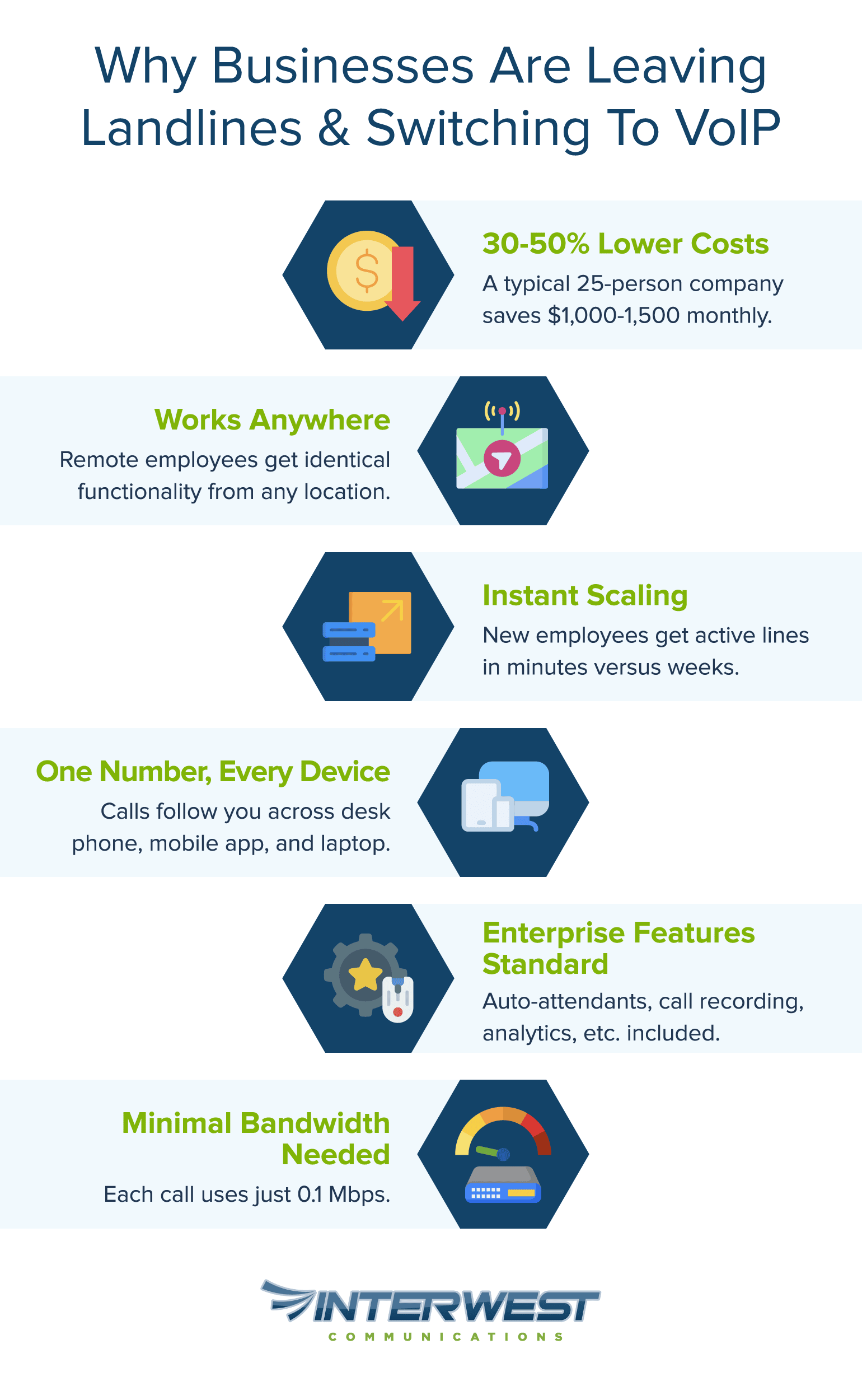
Cost comparisons between VoIP and traditional phone systems often cite “30-50% savings” without showing the math. Here’s what that actually looks like for a 25-person company.
How VoIP Cuts Communication Costs
Monthly Cost Comparison: 25-Person Business
| Category | Traditional System | VoIP | Savings |
| Base service | $1,625 ($65/line) | $700 ($28/user) | $925 |
| Maintenance contract | $200 | Included | $200 |
| Long-distance charges | $150 (estimated) | Included | $150 |
| Feature add-ons (voicemail, caller ID, forwarding) | $250 | Included | $250 |
| Monthly Total | $2,225 | $700 | $1,525 |
VoIP typically costs $15-45 per user monthly while traditional landlines run $50-100 or more per line. That’s 68% savings on paper, and it understates the real gap because many businesses undercount their traditional telecom spend. The line items that slip through: technician visits for desk moves ($75-150 each), conference call per-minute fees, after-hours support charges, and the slow depreciation of that aging PBX hardware in the closet.
Before comparing quotes, pull six months of telecom invoices. The number is usually higher than anyone remembers.
Scalability Without Breaking the Budget
The cost difference becomes starker when your business changes.
Adding a new employee on a traditional system means scheduling a technician visit, installing hardware, and waiting 2-4 weeks, often with $300-500 in one-time installation and equipment costs. Adding a VoIP user means clicking a button and shipping a phone. The new line is active before the box arrives.
This matters most for businesses that don’t grow in straight lines. A retail operation adding ten temporary staff for holiday season faces two options: spend $4,000+ on traditional installations for three months of use, or pay $300/month in VoIP fees and cancel when the season ends. A consulting firm landing a large project can spin up a dedicated team line in an afternoon. A company opening a second location doesn’t need a second phone system, the existing VoIP platform extends automatically.
The traditional model treats phone lines like real estate: expensive to acquire, painful to change. VoIP treats communication as a utility: use what you need, pay for what you use.
ROI Timeline: When You’ll See Savings
Payback periods depend on your starting point. Businesses currently spending $2,000+ monthly on traditional systems typically break even within 3-6 months. Moderate spenders ($1,000-2,000/month) see returns in 6-12 months. Companies with lower current costs but growth plans ahead often reach payback in 12-18 months, and the math improves every time they scale.
Several factors accelerate the timeline: consolidating multiple locations onto one system, eliminating long-distance or international calling charges, replacing cell phone stipends for remote workers with VoIP mobile apps, or avoiding imminent PBX replacement costs. If any of these apply, the switch pays for itself faster.
Operational Flexibility: Built for How Teams Work Today
Cost savings get attention, but operational flexibility is what changes how businesses function. Traditional phone systems assume your team works in predictable ways. VoIP assumes they don’t.
Remote Work Without Compromises
The fundamental difference: VoIP delivers identical functionality regardless of where employees sit. A sales rep working from home has the same capabilities as one at headquarters—same business number, same extension, same access to call recording and CRM integration. The system doesn’t know or care about physical location.
This plays out in practical ways throughout a workday. An employee takes a call on her desk phone at 9am, transfers it to her mobile mid-conversation while walking to her car, then makes outbound calls from her laptop at a client site—all showing the company’s main number, all logged and recorded identically. Her traditional phone system couldn’t do any of this without expensive workarounds or separate services.
The cloud phone system benefits extend to collaboration features that traditional phones simply can’t replicate: presence indicators showing who’s available, internal messaging alongside voice, screen sharing without third-party tools, and voicemail transcriptions delivered directly to email. These aren’t premium add-ons; they’re standard because they’re native to cloud architecture.
Mobility That Matches Modern Business
One number following employees across every device—desk phone, mobile app, laptop softphone—eliminates the “sorry, I was away from my desk” problem. Calls ring everywhere simultaneously or follow rules you define. Mid-call transfers between devices happen seamlessly. Voicemails arrive as email attachments with text transcriptions.
The result is a professional presence that doesn’t depend on physical presence. Clients reach the right person regardless of where that person happens to be working.
Scaling at the Speed of Business
Growth scenarios that create weeks of logistics on traditional systems become same-day implementations with VoIP.
New hire starting Monday? Their account is provisioned Friday afternoon, phone arrives Monday morning, and they’re making calls before lunch. Opening a temporary project office? Full phone system operational in days. Acquiring another company? Integrate their communications without replacing infrastructure. Expanding internationally? Add local numbers in new markets without establishing carrier relationships in each country.
The bandwidth requirements are lighter than most assume. Each concurrent call needs approximately 100 Kbps—that’s 0.1 Mbps. A 25-person company with ten simultaneous calls needs only 1 Mbps dedicated to voice traffic. Any business internet connection above 25 Mbps has abundant capacity. The real requirement isn’t raw speed but proper Quality of Service configuration that prioritizes voice packets. A well-configured 25 Mbps connection will outperform a poorly configured 100 Mbps connection.
Enhanced Capabilities: Features That Drive Business Forward
Traditional phone systems treat advanced features as premium add-ons requiring additional hardware, software licenses, and ongoing fees. VoIP treats them as standard because they’re built into the platform architecture.
Professional Features Without Enterprise Prices
The feature gap isn’t about having more options, it’s about which features require extra investment.
| Feature | VoIP | Traditional |
| Auto-attendant | Included | $50-150/month add-on |
| Call queues | Included | $100+/month or unavailable |
| Unlimited conference calling | Included | Per-minute charges |
| Call recording | Included | $20-50/user/month |
| Analytics dashboard | Included | $200+/month separate software |
| Full-featured mobile app | Included | Limited or unavailable |
An auto-attendant alone changes how callers experience your business. Every call routes professionally—whether it arrives at 2pm Tuesday or 2am Sunday—reaching the right person or department without hold-time frustration. Call queues prevent busy signals during volume spikes. Recording and analytics provide training material and performance visibility that traditional systems require expensive third-party software to match.
Integration with Your Business Tools
The unified communications advantage shows up in daily workflows. When a customer calls, their CRM record appears automatically. Notes from the conversation log without manual entry. Calendar integration routes calls based on real-time availability. Voicemails, faxes, and SMS messages arrive in one inbox.
A typical interaction: customer calls, CRM displays their account history, rep greets them by name with context already visible, call notes auto-populate the customer record, follow-up task generates automatically. No toggling between systems, no forgetting to log the call, no “let me pull up your account” delays.
These integrations aren’t possible with traditional phone systems—not without middleware, custom development, and ongoing maintenance costs that exceed the VoIP system itself.
Future-Proofing Your Communications
The PSTN sunset isn’t speculation. Major carriers have been actively pursuing copper network retirement since the FCC streamlined the process in 2019, with AT&T targeting completion by 2029. Businesses across the country are receiving “service modernization” letters informing them that traditional service will end in their area.
The shift is already reflected in consumer behavior: by 2022, 73% of American adults lived in households without a landline—a number that has tripled since 2010, according to NHIS.
Waiting isn’t a neutral choice. Companies that delay may face rushed transitions on their carrier’s timeline rather than their own, losing negotiating leverage and implementation flexibility. The best transitions happen when businesses control the schedule.
Beyond the sunset, cloud-native systems continue improving without hardware replacements. Feature updates deploy automatically. New capabilities—AI-powered call analysis, advanced routing logic, emerging integrations—become available without system overhauls. Traditional phone systems are depreciating assets tied to disappearing infrastructure. VoIP is communication architecture built for continuous evolution.
Making the Switch: Your Transition Roadmap
Most concerns that delay VoIP transitions don’t hold up under scrutiny. The implementation follows a predictable path when properly planned.
Common Concerns (And Why They’re Overblown)
“What if my internet goes down?”
Quality VoIP systems include automatic failover: calls forward to mobile devices, backup internet routes activate, cellular backup takes over. This isn’t theoretical—it’s standard in business-grade deployments. Meanwhile, traditional landlines aren’t immune to outages. When a copper line is cut or a central office switch fails, repair takes days. VoIP’s redundancy options actually provide more resilience than single-point-of-failure landlines.
Learn more about VoIP internet backup options →
“What about power outages?”
The same failover logic applies. Calls automatically forward to mobile devices that run on cellular networks and their own batteries. Network equipment can run on battery backup for extended outages. These solutions exist precisely because VoIP providers know the question is coming.
How VoIP handles power outages →
“Is call quality as good?”
On properly configured networks, VoIP call quality often exceeds traditional landlines. HD voice codecs like G.722 provide a frequency range of 50–7000 Hz—significantly wider than the 300–3400 Hz range of legacy POTS infrastructure. The rare quality complaints stem from network configuration issues—inadequate QoS settings, overloaded connections—not inherent technology limitations. A proper implementation partner tests for these issues before cutover.
“Isn’t switching complicated?”
Modern hosted VoIP is simpler to manage than traditional systems. No on-premises PBX hardware to maintain. No technician visits for basic changes. A web portal handles user administration, call routing, voicemail configuration—everything that previously required a service call. The learning curve exists, but it’s shorter than the ongoing complexity of managing legacy equipment.
Your 30-Day Implementation Timeline
A realistic transition from decision to go-live takes approximately 30 days. Rushing is possible but increases risk. Here’s how a well-planned implementation unfolds.
Week 1: Assessment and Planning
Audit current phone spend by pulling all telecom invoices from the past six months. Inventory existing equipment and phone numbers. Test network readiness—not just speed, but packet loss and jitter measurements that affect call quality. Define requirements: user count, locations, must-have features, integration needs.
Week 2: Network Preparation and Number Porting
Configure Quality of Service settings on network equipment to prioritize voice traffic. Submit number porting requests to transfer existing phone numbers—this process typically takes 7-14 business days, and starting early provides buffer for carrier delays. Order new hardware if needed. Configure the VoIP system in the provider’s portal.
Week 3: Setup and Testing
Provision user accounts and extensions. Build auto-attendant scripts and call routing rules. Configure voicemail and other features. Test call quality from every location. Begin parallel operation—running both systems simultaneously so the new system proves itself before carrying live traffic.
Week 4: Training and Go-Live
Train staff on new phones and softphone applications. Make final configuration adjustments based on testing feedback. Execute cutover from legacy system. Decommission old equipment.
Implementation note: Start number porting in Week 2, not Week 4. Porting is federally mandated under 47 CFR § 52.35—carriers must release your numbers, with simple ports completing within one business day. But carriers occasionally delay, and building buffer time prevents porting issues from pushing back your go-live date.
Frequently Asked Questions
How much does VoIP really save compared to traditional phone systems?
Most businesses see 30-50% reduction in monthly telecom costs, sometimes more. The savings come from lower per-user fees, eliminated long-distance charges, and included features that traditional systems bill separately. For a 25-person company, this typically means $1,000-1,500/month in savings.
Will VoIP work if my internet goes down?
Yes, with proper configuration. Business-grade VoIP includes automatic failover options—calls forward to mobile devices, backup internet routes activate, or cellular backup takes over. These redundancies often provide more reliability than traditional single-line landlines.
Can I keep my existing business phone numbers?
Yes. Number porting is federally mandated—carriers must release your numbers upon request. The process takes 7-14 business days, and the vast majority of porting requests complete successfully. Start the request early in your implementation timeline.
What internet speed do I need for VoIP?
Less than most people assume. Each concurrent call requires approximately 100 Kbps (0.1 Mbps). A 25-person company with ten simultaneous calls needs only 1 Mbps for voice traffic. Any business internet connection above 25 Mbps has ample capacity. Proper QoS configuration matters more than raw bandwidth.
How long does it take to switch from landline to VoIP?
A well-planned transition takes about 30 days from decision to go-live: one week for assessment, one week for network prep and number porting initiation, one week for configuration and testing, and one week for training and cutover. Faster timelines are possible but increase implementation risk.
More answers in our complete VoIP FAQ →
The Decision Simplified
The business phone system comparison comes down to this: VoIP delivers 30-50% cost savings while providing flexibility that traditional systems cannot match at any price. Remote work support, instant scalability, and enterprise features aren’t premium options—they’re standard.
The timing matters. Carriers are actively retiring legacy infrastructure, and the shift is accelerating—the global VoIP market is growing at a 10.8% compound annual rate, projected to reach $326 billion by 2032. Companies switching now choose their implementation timeline, their provider, and their configuration. Companies waiting may find themselves making rushed transitions on someone else’s schedule.
Your next steps:
Pull six months of telecom invoices and calculate what you’re actually spending. Run a network quality test—speed plus packet loss and jitter—to confirm readiness. Then talk to specialists who implement these transitions daily.
Schedule Your Free VoIP Assessment with Interwest Communications →